IT, Cloud & Cybersecurity • Certification
Microsoft Office Specialist: Excel Associate
Microsoft Office Specialist: Excel Associate — Technology credential from Microsoft
Researched and maintained by TestPrepPilot Editorial BoardOffice productivity & desktop-applications desk · Figures last verified August 2026
The short version
What is the Microsoft Office Specialist: Excel Associate and is it worth it?
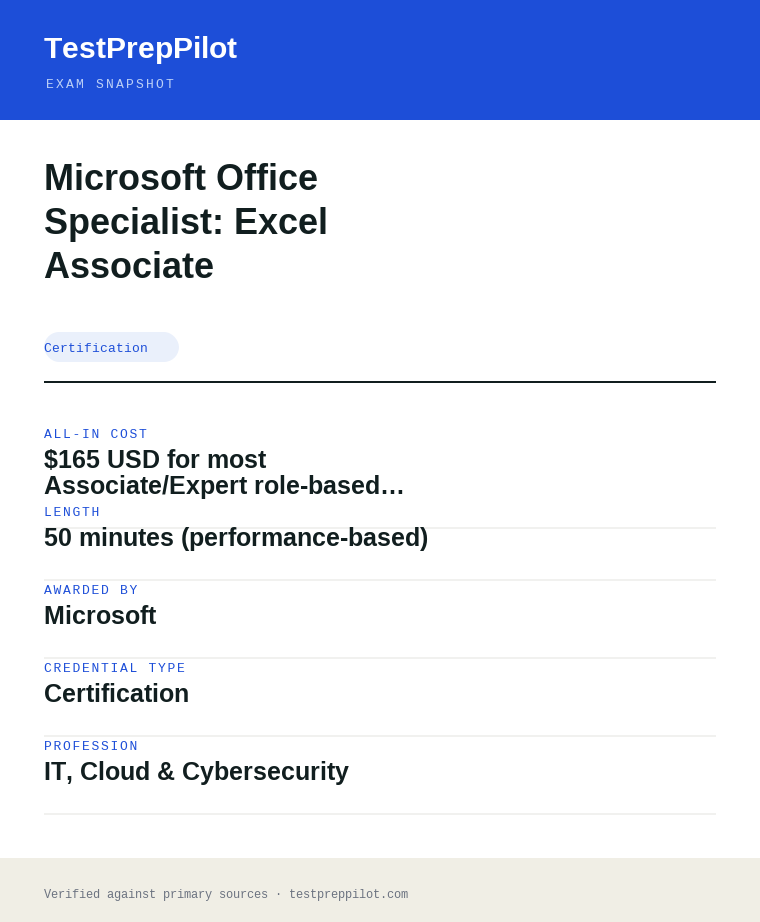
Microsoft Office Specialist: Excel Associate is a Microsoft credential in the Technology field. It validates job-ready competence and is used for career entry, advancement, or compliance. Exam fee: $165 USD for most Associate/Expert role-based exams; Fundamentals-tier exams (e.
- Recognized Microsoft credential
- Demonstrates verified Technology competence
- Supports career advancement and may satisfy employer or regulatory requirements
What is it?
What exactly is the Microsoft Office Specialist: Excel Associate?
Microsoft Office Specialist: Excel Associate — Technology credential from Microsoft
Performance-based Microsoft Office Specialist exam on workbook management, formatting, formulas, tables and charts in Microsoft Excel. Offered by Microsoft, it validates job-ready Technology competence. Exam fee: $165 USD for most Associate/Expert role-based exams; Fundamentals-tier exams (e. Review the official program page for eligibility, format, and scoring before registering.
The path in brief
- Confirm eligibility and any prerequisites
- Review the official exam guide and study materials
- Purchase and schedule the exam via Pearson VUE
- Take the exam (test center, online proctoring, or assessment)
- Receive results and your credential if passed
Before you book
Who is eligible to sit the Microsoft Office Specialist: Excel Associate?
None
Who it is for: Professionals and candidates seeking to validate Technology competence with a Microsoft credential.
The test itself
What is the format of the Microsoft Office Specialist: Excel Associate?
The Microsoft Office Specialist: Excel Associate is administered by Pearson VUE and runs ~50 min and contains 25-35 tasks across projects questions.
| Administered by | Pearson VUE |
|---|---|
| Questions | 25-35 tasks across projects |
| Time limit | ~50 min |
| Pass mark | Passing score set by the awarding body; see the official score report |
| Exam fee | ~$100 |
| Format | Proctored, computer-based — Pearson VUE test center or online remote proctoring. Price is the same either way. |
Content outline
What topics are on the Microsoft Office Specialist: Excel Associate?
The Microsoft Office Specialist: Excel Associate covers 4 content domains.
No percentage weights are listed for these domains here, so the outline is shown as structure only. Check the certifying body's published outline before allocating study time.
- Cloud / platform fundamentals
Topic area for this credential; see the official blueprint for the detailed breakdown.
- Configuration & implementation
Topic area for this credential; see the official blueprint for the detailed breakdown.
- Security & compliance
Topic area for this credential; see the official blueprint for the detailed breakdown.
- Operations & troubleshooting
Topic area for this credential; see the official blueprint for the detailed breakdown.
The path
How do you register for the Microsoft Office Specialist: Excel Associate?
- 1
Sign in with a personal Microsoft account and open your Learn profile10-15 minutes
Microsoft strongly recommends registering with a personal Microsoft account (MSA) rather than a work or school account, because exam records tied to an organizational account are lost and unrecoverable if you leave that organization. Connect your certification profile to your Microsoft Learn profile so you can schedule, renew and print certificates.
- Sign in at learn.microsoft.com with a personal MSA
- Connect your certification profile to your Learn profile
- Confirm the legal name matches your government ID
Use the exact name on your ID; a mismatch can cost you the appointment and the fee.
- 2
Choose the exam and schedule through Pearson VUE10 minutes
From the exam page on Microsoft Learn, select Schedule exam and you are redirected to Pearson VUE. You can book up to 90 days in advance and can hold a maximum of two Microsoft Certification exams on the schedule at one time. The price shown depends on the country or region where you will be proctored.
- Open the exam page, for example learn.microsoft.com/credentials/certifications/exams/az-104
- Select a test center or online proctoring through Pearson VUE OnVUE
- Pay and confirm the appointment time
Associate and expert exams typically cost US$165; Fundamentals exams list at US$99 in the United States.
- 3
Reschedule or cancel at least 24 hours ahead if plans change5 minutes
Reschedule or cancel through your Learn profile, which redirects to Pearson VUE. A change made less than 24 hours before the appointment forfeits the fee, and a company voucher is forfeited as well. Microsoft does not refund fees for failed exams or missed appointments.
- Open Profile, then Credentials, then Certifications on Microsoft Learn
- Select Reschedule or Cancel beside the appointment
- Complete the change on the Pearson VUE site
Rescheduling inside the 24-hour window forfeits the exam fee.
- 4
Check in and sit the exam65 minutes (Fundamentals) to 140 minutes (associate/expert with labs) seat time
Take the exam at a Pearson VUE test center or through online proctoring, with government photo ID. Fundamentals exams give 45 minutes of exam time (65-minute seat time); associate and expert exams give 100 minutes (120-minute seat time), or 120 minutes (140-minute seat time) when labs may appear. Five minutes of unscheduled break time are built in, but the clock keeps running during a break.
- Arrive early for a test center or complete the OnVUE check-in
- Read the introduction screen for case study and lab counts
- Use the Microsoft Learn button on the left navigation pane for role-based exams
Learn access during the exam is allowed on associate and expert exams, not on Fundamentals exams.
- 5
Read your score report and, if you pass, claim the certificationMinutes after the exam; up to 24 hours to post
Most results appear within minutes of finishing; exams with labs take about 30 minutes to score. The score report shows a numeric score from 1 to 1,000, pass or fail, and a bar chart by skill area. Scores post to your Learn profile within 24 hours.
- Open Profile, Credentials, Certifications, then Past exams
- Select View details on provider site to open the Pearson VUE score report
- Claim your badge and certificate from the Learn profile
The bar chart cannot be summed into a percentage.
The fine print
What are the retake and renewal rules for the Microsoft Office Specialist: Excel Associate?
- Proctoring & delivery
- Delivered by Pearson VUE at test centers or by OnVUE online proctoring. The exam is closed book apart from the Microsoft Learn window, which is available on associate and expert exams but not on Fundamentals exams. Exams with labs are restricted to test centers that meet connectivity requirements.
- Retake policy
- If you do not pass, you must wait 24 hours before the second attempt, then 14 days between every later attempt. You may not take the same exam more than five times in 12 months from your first attempt; after five failures you are eligible again 12 months from the date of the first attempt. You pay for every attempt, and you cannot retake an exam you passed unless the certification has expired.
- Score reporting
- Scores are scaled from 1 to 1,000 and 700 or higher passes; the scale compensates for question difficulty, so 700 does not equal 70 percent of the points. Results usually appear within minutes (about 30 minutes for exams with labs) and post to your Learn profile within 24 hours. There is no penalty for guessing, and some questions are unscored pilot items you cannot identify.
- Recertification
- Associate, expert and specialty certifications expire 12 months after you earn them, and renewal is free: pass an unproctored, open-book online assessment on Microsoft Learn during the six months before expiry, and the certification extends one year from the expiration date. There is no limit on renewal assessment attempts. Fundamentals certifications, including Azure AI Fundamentals, do not expire. Retired certifications and their renewal assessments can no longer be renewed.
- Refunds & rescheduling
- Microsoft does not refund fees for exams you fail or appointments you miss. Reschedule or cancel at least 24 hours before the appointment or the fee is forfeited. If a technical failure interrupts your exam and Pearson VUE opens a case, you can ask Microsoft Credentials support to waive the retake waiting period.
Context
Azure certifications in this group compared
| Exam | Level | Exam time | Renewal | |
|---|---|---|---|---|
| AI-901 Azure AI Fundamentals | Fundamentals | 45 minutes | Does not expire | |
| AZ-104 Azure Administrator Associate | Associate | 100 minutes | Free every 12 months | |
| AZ-140 Azure Virtual Desktop Specialty | Specialty | 100 minutes | Free every 12 months | |
| AI-102 Azure AI Engineer Associate | Associate (retired) | 100 minutes | Retired 30 June 2026 | |
| AZ-204 Azure Developer Associate | Associate (retired) | Retired 31 July 2026 | Retired 31 July 2026 |
What it pays
How much does this credential pay?
MOS Excel Associate evidences practical spreadsheet skill: computer support specialists earned a $61,550 median in May 2024 (BLS)
The Microsoft Office Specialist (MOS) Excel Associate certification evidences hands-on proficiency with Microsoft Excel - creating and managing worksheets, formulas, charts and tables - which is one of the most demanded software skills across office occupations. It is a vendor certification, not a job license, so no single BLS SOC code attaches to it; the salary story belongs to the office and support occupations that use Excel daily. BLS reported that computer support specialists (SOC 15-1231) earned a median of $61,550 in May 2024, and office and administrative support occupations as a group carried a $46,320 median; roles that list Excel proficiency - administrative assistants, data-entry staff, analysts and coordinators - span these ranges, and Excel skill is a common differentiator in hiring at the entry level. The structural point is that the certification is one of the most widely recognized software credentials, issued by Microsoft through Certiport, and it is commonly completed by students and early-career workers to evidence a skill that most employers assume but few can verify; it also feeds directly into job-readiness programs and is a standard requirement or bonus in many administrative and analyst job postings. BLS classifies workers by occupation, not certifications, so no certificate maps to a specific wage; the value is the verifiable signal in a market where spreadsheet proficiency is a near-universal requirement. The exam is performance-based (the candidate completes tasks in the actual Excel application), costs about $100 (with discounts through schools and programs), and pairs with the Word and PowerPoint Associate exams for the MOS Associate certification.
| Measure | Figure | Source / note |
|---|---|---|
| Computer support specialists median, May 2024 | $61,550 | BLS OEWS, SOC 15-1231 |
| Office and administrative support median, May 2024 | $46,320 | BLS OEWS occupational group |
| All-occupation median, May 2024 | $49,500 | BLS OEWS |
| MOS exam delivery | Performance-based in Excel | Certiport/Microsoft |
Job growth.Office-support employment is projected to change modestly through 2034; verifiable software skill remains a hiring differentiator at entry level.
Source: BLS Occupational Outlook Handbook - Computer Support Specialists
Your odds
What are the pass rates?
MOS Excel Associate requires a passing score of 700 on a 1000-point scale; Microsoft publishes no pass rates
Microsoft and Certiport do not publish pass rates for MOS exams, but the assessment mechanics are public. The MOS Excel Associate exam (MO-200) is a performance-based test: candidates complete tasks in the actual Excel application while the exam software records their actions, with roughly 5-7 projects made up of 25-35 tasks (the exact task count is stated in the exam objectives and can vary); the time allowance is about 50 minutes, and the passing score is 700 on a 1000-point scale. Because the exam is performance-based, candidates must know where features live and how to complete the required actions in Excel, not just recall concepts; the exam covers six objective groups published by Microsoft: manage worksheets and workbooks; manage data cells and ranges; manage tables and table data; perform operations by using formulas and functions; manage charts; and (for the Associate level) manage data formatting. The exam is delivered by Certiport through authorized testing centers (and online in many regions), typically costs about $100 (schools and workforce programs often offer discounted or free vouchers), and candidates who do not pass may retake after a waiting period (Certiport applies a 24-hour wait for retakes, with limits). The MOS credential does not expire (unlike Microsoft’s role-based certifications), which makes it a durable resume line. The honest summary is that the passing bar is 700/1000 on a performance-based exam, and the published objectives document is the authoritative preparation blueprint.
Read this before quoting the number.Microsoft publishes no pass rates; the exam requires 700/1000 and is performance-based in Excel with ~50 minutes allowed.
Your schedule
How long should I study for it?
20-60 hours over 2-5 weeks of focused study
A realistic MOS Excel Associate plan runs 20-40 hours over 2-5 weeks for someone with everyday Excel experience, and 40-60 hours for a beginner. The exam is performance-based, so preparation is about completing tasks in the real application. Week 1: take a baseline - work through the published objectives document (the six objective groups) and complete a practice project to see where you stand; most candidates discover gaps in features they rarely use (advanced tables, conditional formatting, functions like SUMIFS and XLOOKUP). Weeks 2-4: work through the objectives with hands-on practice - create practice workbooks that exercise each objective group, using the free Microsoft Learn training modules and the Certiport practice tests; the key is doing the actions, not reading about them. Week 5: complete the official practice test (Certiport’s GMetrix practice exams, roughly $20-30) under timed conditions, drill the exposed gaps, and take the real exam. The six objective groups: manage worksheets and workbooks (sheets, views, workbook properties, printing); manage data cells and ranges (entry, fill, formatting, conditional formatting, named ranges); manage tables and table data (tables, structured references, sorting, filtering); perform operations using formulas and functions (formula syntax, functions including SUM, AVERAGE, COUNT, IF, SUMIF(S), VLOOKUP/XLOOKUP, text functions); manage charts (chart creation, chart types, elements, formatting); and manage data formatting at the Associate level. Candidates who pass Excel Associate can add Word and PowerPoint Associate to complete the MOS Associate certification.
- Week 16
Baseline and objectives
- Review the published objectives
- Practice project to find gaps
- Weeks 2-424
Hands-on objective practice
- Practice workbooks per objective group
- Functions, tables, charts, formatting
- Week 510
Practice test and real exam
- GMetrix practice test
- Drill gaps; take the real exam
Adjusting the pace
Beginner path.Add 2-3 weeks of daily Excel practice before the formal plan if the baseline is weak.
MOS Associate bundle.Pass Excel, Word and PowerPoint Associate to earn the full MOS Associate certification.
How to study
How do I prepare most effectively?
The most effective MOS Excel strategies are hands-on and objective-driven. Strategy one: practice in the real Excel application exclusively, because the exam records your actions in the software and rewards knowing exactly where features live; candidates who study screenshots or videos without doing the actions underperform on the timed projects. Strategy two: use the published objectives document as the checklist - Microsoft publishes the six objective groups with the specific skills tested, and every exam task maps to an objective; working through the checklist systematically is the highest-return preparation. Strategy three: master the most-tested functions (SUM, AVERAGE, COUNT, IF, SUMIF/SUMIFS, VLOOKUP or XLOOKUP, and text functions) because formula items carry heavy weight and are the most common failure point; practice building them from scratch, not just recognizing them. Strategy four: learn the table and data-management features (structured references, sorting, filtering, conditional formatting), which form a large share of the tasks. Strategy five: use the Certiport practice tests (GMetrix) for the final week, because they replicate the performance-based format and the timing, and they are the closest predictor of readiness. Strategy six: manage the 50-minute clock by skipping difficult tasks and returning to them, since the exam scores completed tasks; finishing the projects beats perfecting one.
Practice in the real app
The exam records your actions; interface fluency is the score.
Work the objectives checklist
Every task maps to a published objective.
Master the core functions
SUMIFS, VLOOKUP/XLOOKUP, IF and text functions are heavily tested.
Learn tables and formatting
Structured references, filtering, conditional formatting.
Use GMetrix for the final week
It replicates the performance format and timing.
What to buy
Which study resources are worth paying for?
The MOS Excel resource market has a clear official core and modest paid options. The Microsoft Learn training modules for MO-200 are free and map to the objectives; Microsoft also publishes the free objectives document that is the exam blueprint. Hands-on practice requires only Excel (a Microsoft 365 subscription or the free Excel web app covers most features, though the exam tests the desktop application, so candidates should practice in the desktop version). The Certiport practice tests (GMetrix) cost about $20-30 and are the closest match to the performance-based format; they are the standard paid purchase. Commercial MOS prep books ($20-$40) and courses ($100-$500) add structure and practice projects, and their value is practice volume rather than unique content. The exam fee itself is about $100 (with frequent discounts through schools, libraries and workforce programs - candidates should check with their school or local workforce center for free or discounted vouchers). The honest ranking: free Microsoft Learn modules and the objectives document, Excel practice, the GMetrix practice test, and a course only for structure. Prices here are current as of 2025-26 and change annually.
| Resource | Price | Format | Best for |
|---|---|---|---|
| Microsoft Learn MO-200 modules | Free | Online | Objectives-aligned instruction |
| Excel desktop practice | Subscription or existing | Desktop app | The practice surface (exam uses the desktop app) |
| Certiport GMetrix practice tests | $20-$30 | Online | Performance-format rehearsal |
| Commercial prep book/course | $20-$500 | Print/online | Practice volume and structure |
Prices dated 2025-26; the MOS exam fee is ~$100 with frequent school/workforce discounts. No commission-based ranking.
Avoid these
What mistakes do candidates most often make?
The most common MOS Excel mistakes come from studying instead of doing. Mistake one: reading about Excel or watching videos without completing tasks in the application; the exam is performance-based, and candidates who cannot navigate the ribbon and dialog boxes quickly run out of time. Mistake two: skipping the published objectives; candidates who practice what they already know miss the obscure-but-tested features (e.g., print area, custom views, data validation) that the objectives list. Mistake three: under-preparing the formula cluster; formula items carry heavy weight, and candidates who recognize functions but cannot build them from scratch lose the task. Mistake four: ignoring the timing; the 50-minute clock with multiple projects rewards skipping and returning, and candidates who perfect the first project fail to finish. Mistake five: practicing in the web app only; the exam uses the desktop application, and feature locations differ, so a candidate fluent in Excel for the web can be lost in the desktop ribbon. Mistake six: assuming the certification expires; MOS does not expire, but candidates should still keep the Certiport record accessible for resumes and employer verification. Finally, candidates should take at least one GMetrix practice test before the real exam, because the performance format is best experienced in rehearsal.
✕Studying without doing
✓Complete tasks in the real desktop app.
✕Skipping the objectives
✓Work the published objective groups as a checklist.
✕Under-preparing formulas
✓Build core functions from scratch daily.
✕Ignoring the clock
✓Skip difficult tasks; finishing beats perfecting.
✕Practicing in the web app
✓The exam uses the desktop application.
What you'll face
What question types will I see?
The MOS Excel Associate exam (MO-200) is a performance-based test of about 50 minutes, with multiple projects containing 25-35 total tasks completed in the actual Excel application; the passing score is 700/1000. The published objective groups are: manage worksheets and workbooks; manage data cells and ranges; manage tables and table data; perform operations by using formulas and functions; manage charts; and manage data formatting. Tasks include creating and formatting worksheets, using functions, building tables with structured references, creating charts, and applying conditional formatting. Samples below are editor-written illustrations of the published objectives, not live exam items.
Sheets, views, workbook properties, printing.
Formatting, conditional formatting, structured references.
SUM, IF, SUMIFS, VLOOKUP/XLOOKUP, text functions.
Chart creation, elements, and data formatting.
Try these
Q1A workbook contains monthly sales in cells B2:B13. Which formula returns the total sales for the first quarter (B2:B4)?
Answer:A
SUM with the range B2:B4 totals the first quarter; the other choices use non-existent functions or the wrong range.
Q2A user wants to highlight cells in column C that are greater than 1000. Which feature applies the formatting automatically?
Answer:A
Conditional formatting applies rules that format cells based on their values (e.g., greater than 1000); the other features do not automate value-based formatting.
Q3A data range has a header row and needs to reference the column of values by name in formulas. What should be created first?
Answer:A
Converting the range to a table enables structured references by column name (e.g., [Sales]); the other options do not create name-based references.
Samples are editor-written illustrations of the published objectives, not live exam items.
The big day
What should I expect on exam day?
The MOS Excel Associate exam is delivered by Certiport through authorized testing centers and, in many regions, online with proctoring. At a test center, arrive 30 minutes early with a valid ID; the exam runs about 50 minutes on the center’s computer with Excel installed, and candidates complete projects in the actual application while the exam software records the actions. For online delivery, complete the Certiport system check ahead of time, use a quiet private room, and follow the proctor’s rules. The passing score is 700/1000, and results appear on screen at the end. The exam fee is about $100 (check for school, library and workforce vouchers before paying full price). After passing, the certification is recorded in the candidate’s Certiport/Microsoft Learn profile with a badge; MOS credentials do not expire. Afterwards, add the badge to your resume and LinkedIn, and consider the Word and PowerPoint Associate exams to complete the MOS Associate certification.
Bring
- Valid photo ID
- Appointment confirmation
- Online: verified system and quiet room
- Voucher code if using a discounted voucher
Leave at home
- Phone, smartwatch, and personal electronics
- Notes or study materials
- Second monitors or devices for online delivery
How the day runs
Rules in the room
- Valid ID is mandatory; personal electronics are prohibited.
- The exam is performance-based in the desktop Excel application.
- The passing score is 700/1000 in ~50 minutes.
- The MOS credential does not expire.
Afterwards.Add the badge to your resume and LinkedIn, keep the Certiport record for employer verification, and consider the Word and PowerPoint exams for the full MOS Associate.
Reference
What are the key facts about the Microsoft Office Specialist: Excel Associate?
Microsoft Office Specialist: Excel Associate is a certification credential; awarded by Microsoft; the exam fee is ~$100; typical preparation is 50 minutes (performance-based); holders typically earn $35,000-$65,000 (office and support roles).
| Credential | Microsoft Office Specialist: Excel Associate |
|---|---|
| Abbreviation | MOS Excel |
| Type | Certification |
| Profession | IT, Cloud & Cybersecurity |
| Specialty | Microsoft |
| Awarded by | Microsoft |
| Difficulty | Mixed |
| Typical prep time | 50 minutes (performance-based) |
| All-in cost | $165 USD for most Associate/Expert role-based exams; Fundamentals-tier exams (e |
| Typical salary range | $35,000-$65,000 (office and support roles) |
| Credential | Microsoft Office Specialist: Excel Associate |
| Awarding body | Microsoft |
| Exam fee | $165 USD for most Associate/Expert role-based exams; Fundamentals-tier exams (e |
| Delivery | Proctored, computer-based — Pearson VUE test center or online remote proctoring. Price is the same either way. |
| Validity | Renewable annually via free online assessment |
| Scope | National / Multi-state |
| Also known as | MO-210 |
Real questions
Frequently asked questions about the Microsoft Office Specialist: Excel Associate
How much does the Microsoft Office Specialist: Excel Associate exam cost?
$165 USD for most Associate/Expert role-based exams; Fundamentals-tier exams (e.g., AZ-900) are $99 USD. Priced per attempt in USD, billed in local currency; regional tax may apply.
How do I register and schedule?
Register and schedule through Pearson VUE. Create an account, purchase the exam, and pick a date (test center, online proctoring, or assessment as applicable).
How long is the credential valid, and how do I renew?
The MO-200 exam is performance-based in Excel and passes at 700/1000; the six objective groups are the published blueprint.
What is the retake policy?
Full fee per attempt. First retake after 24 hours; subsequent retakes after a 14-day wait; maximum 5 attempts in 12 months.
Do Microsoft certifications expire?
Associate, expert and specialty Microsoft certifications expire after 12 months unless renewed, but Fundamentals certifications never expire. Renewal is free: you pass an unproctored, open-book online assessment on Microsoft Learn during the six months before expiry, and Microsoft extends the certification one year from the expiration date. You can retake the renewal assessment as many times as needed.
What is the Microsoft exam retake policy?
After a failed attempt you wait 24 hours, then 14 days between every later attempt, with a maximum of five attempts in 12 months from your first. You pay the full exam fee each time. Microsoft grants a waiver of the waiting period only when internet or equipment failure interrupted the exam and Pearson VUE created a case.
How is a Microsoft certification exam scored?
Technical exam scores run from 1 to 1,000 and 700 is the passing score. It is a scaled score, so it does not equal 70 percent of the points. There is no penalty for guessing, and unscored pilot questions are mixed in without being identified. Your report shows an overall score and a bar chart by skill area.
In short
Is the Microsoft Office Specialist: Excel Associate worth it?
- Microsoft Office Specialist: Excel Associate is awarded by Microsoft.
- Validates Technology competence.
- Exam fee: $165 USD for most Associate/Expert role-based exams; Fundamentals-tier exams (e.
- Renewal: Free online renewal assessment on Microsoft Learn (role-based and specialty certs renew this way; effectively no recurring fee).
Same awarding body
What other credentials does Microsoft award?
Worth comparing
How does the Microsoft Office Specialist: Excel Associate compare with similar credentials?
Trust
Where does this information come from?
Everything above is taken from the awarding body's own published material. Fees, question counts and domain weights are revised regularly — check the official page before you pay.
- Microsoft Awarding body
- Microsoft certification programme Programme rules
Research confidence: medium · Last reviewed 2026-08